
Step 1
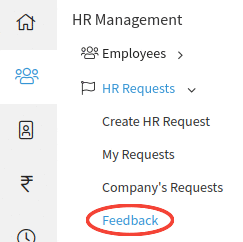
Go to Emplyees--> HR Requests--> Feedback
Note: An employee should be linked to a User Account of Sumopayroll.
Step 2
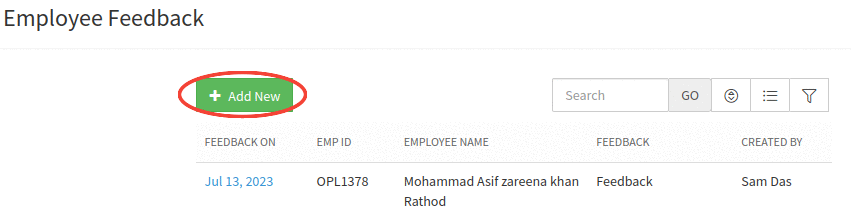
Click on "Add New" button.
Step 3
On clicking on the button, Add Feedback popup will appear on the screen.
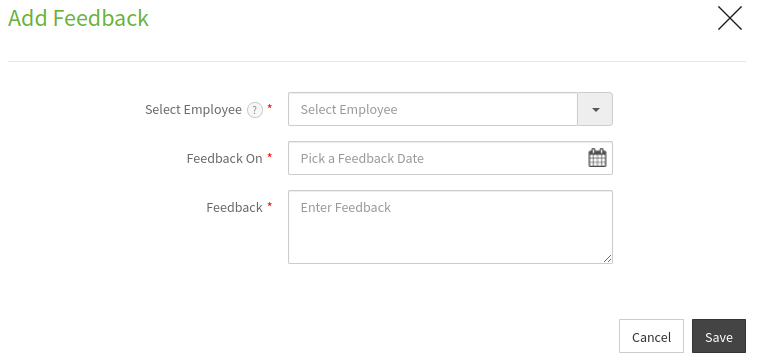
Note: All fields marked * are mandatory and user needs to fill up the details to proceed.
Step 4
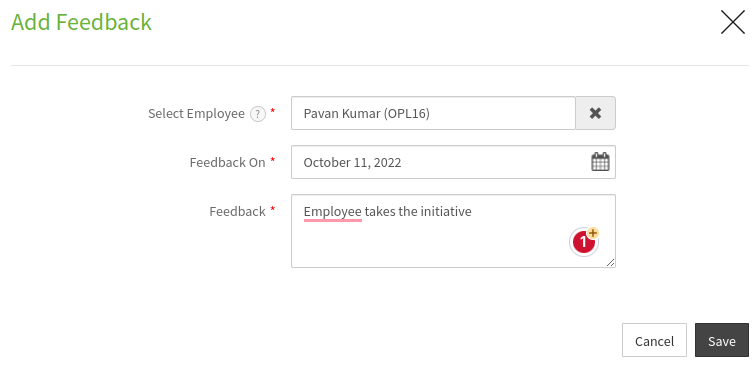
Fill the details in the form and click "Save" button.
Step 5
Upon clicking on "Save" button a confirmation message will be displayed. The user can view the added Feedback in the table.